


When organizations plan their private cloud, one of the first questions from the IT team is: How many servers do we actually need to get started? The answer isn’t just about a number; it is about balancing cost, resilience, and future growth.
FishOS cloud management platform is designed with that balance in mind, allowing companies to start small and scale confidently as their needs evolve. Our minimal package starts with as few as 3 nodes (FishOS Light), and there are plenty of reasons behind this approach.
In this article, Sardina Systems’ experts explain why one or two servers don’t work, why “fewer” does not mean “cheaper”, and how to make your cloud more future-proof from day one.
Single or Two-Node Setups Put Your Cloud at Risk
Every FishOS cluster is built around five essential functions:
- Controller runs the OpenStack services and ensures your cloud control plane is reliable.
- Storage manages your Ceph or other storage backend.
- Compute provides CPU and memory resources for your workloads.
- Balancer handles traffic balancing for stability and performance.
- Deployer manages installation, base OS imaging, and zero-downtime upgrades.
While technically it is possible to squeeze all these functions onto a single node (or two), in practice, it creates critical risks.
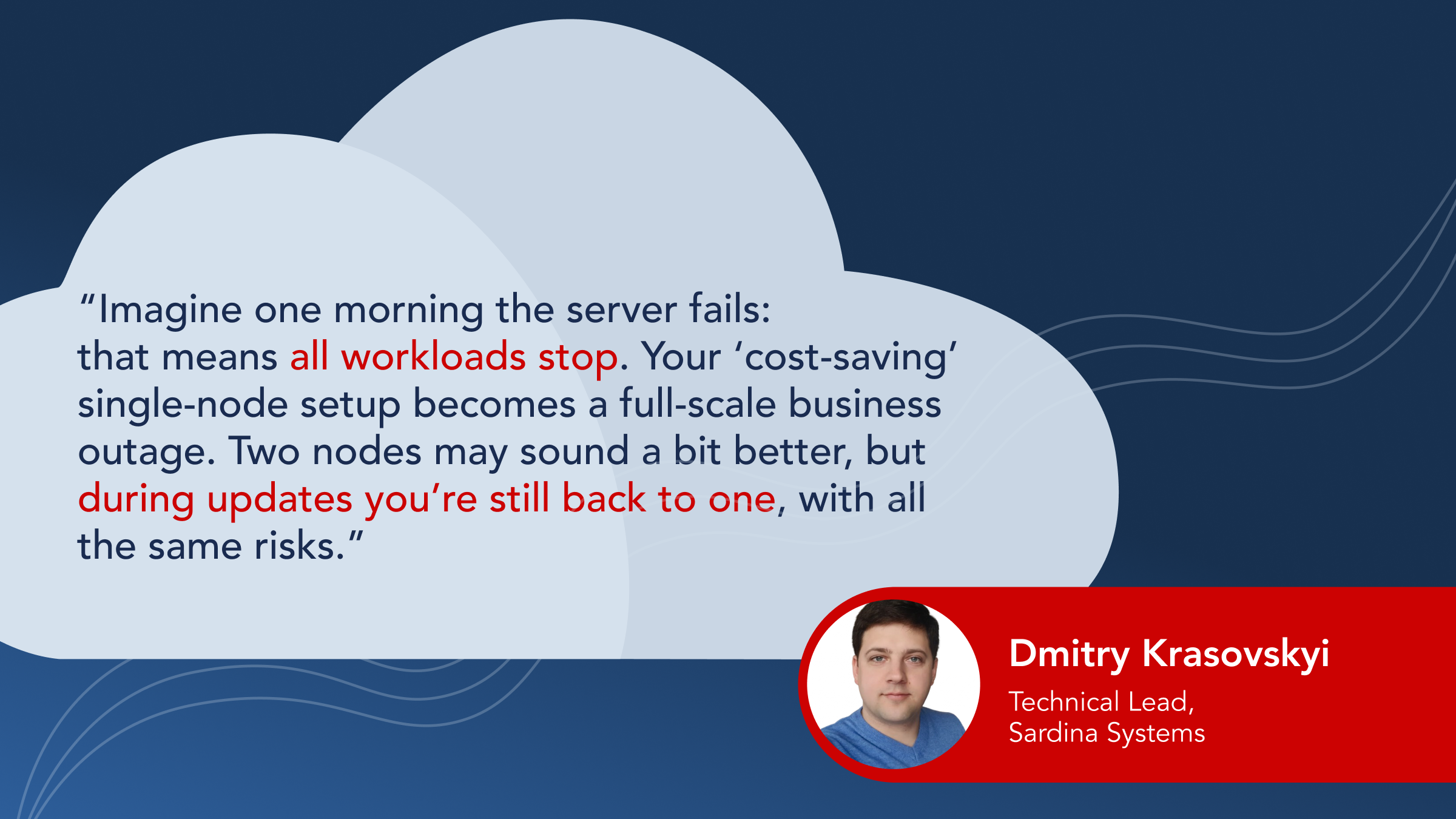
Another challenge with a two-server setup is resource limitation: each server must be powerful enough to handle all workloads in case its partner fails. This means the company should buy an oversized server and use only 45-50% of its total capacity. Finally, when it comes to storage, there’s a split-brain risk, when two nodes can’t reliably decide who’s “in charge”.
FishOS by Sardina Systems is designed to balance cost, resilience, and scalability, and that balance starts at three nodes.
Why Three Nodes Are the Foundation of a Reliable FishOS Cloud
Adding a third server changes everything. With this number, you can already build a hyperconverged model that gives you a cost-efficient starting point.
This is our minimal requirement for the FishOS Light package, ideal for pilots, POCs, small deployments, or environments where budgets are tight but resilience is still non-negotiable.
- Controllers: 3 for High Availability
With three controller nodes, FishOS runs in quorum-based High Availability (HA) mode. That means even if one controller fails, the cloud stays fully operational.
- Storage: 3 for Replication
With software-defined storage, your data is automatically replicated. Ceph needs at least 3 nodes to do it safely (replica-3) to avoid corruption or downtime.
- Updates without stress
With 3 nodes, you can handle rolling updates safely. One node can go offline while the other two keep applications running smoothly.
- Deploying and Balancing Workloads Efficiently
While the deployer can be virtualized, the balancing functions can be distributed evenly between three servers. If one node goes down, the remaining two easily split the work, and each would only carry about half the load. This makes performance predictable, stable, and reliable.
The FishOS Golden Standard: Optimal Node Configurations for Production Clouds
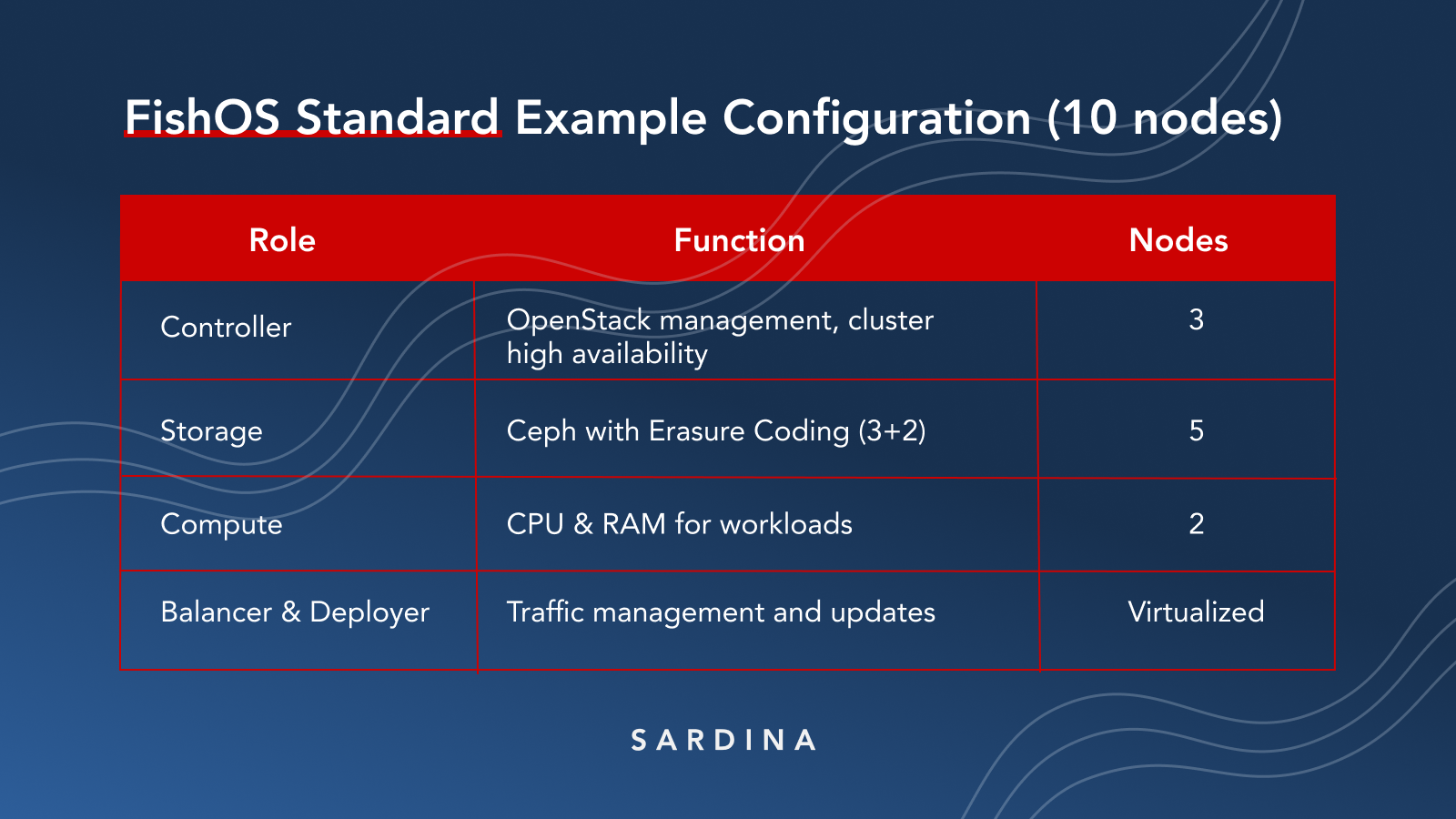
While three nodes are the baseline, more nodes unlock greater efficiency, scalability, and fault tolerance. For most production environments, the optimal starting point is 10 nodes — the minimum for our FishOS Standard package, recommended for medium-sized enterprises.
- Storage Efficiency
With 5 nodes, you can use Ceph Erasure Coding (3+2 scheme), which boosts efficiency from 33% (replica-3) to 60% usable storage.
- Resilience & Fault Tolerance
More nodes mean higher tolerance for failures. In a 10-node setup, losing a node or even two won’t disrupt workloads.
- Scalability & Upgrades
Small and medium-sized servers scale horizontally almost without limit, giving you the flexibility to grow your cloud step by step. This architecture also simplifies maintenance: if one server is taken offline for an upgrade or repair, the others seamlessly handle the load. With the FishOS Upgrader, you can perform rolling updates with zero operational downtime.
- Cost efficiency
Scaling with FishOS isn’t just technically efficient, it’s also financially smart. Our licensing model includes volume discounts starting from 500 cores: as your infrastructure grows, your cost per core decreases. This makes larger clusters more scalable and economical in the long run.
“Some customers ask for a single ‘monster node’. The problem comes later, when it’s time to scale or upgrade, that approach quickly runs into limitations. With multiple smaller nodes, you can grow incrementally, keep costs predictable, and upgrade without downtime.”
Natallia Kulazhenka, Product Manager at Sardina Systems
Advanced Node Configurations for High-Demand Environments
For enterprises or service providers with heavy workloads and complex requirements, the FishOS Advanced package offers the next level of resilience and flexibility. Starting at 17 nodes, it enables:
- Multi-datacenter deployments
- Advanced storage configurations
- GPU workloads
- Kubernetes out of the box
- 24/7 expert support and much more
This architecture is built for organizations that need robust fault tolerance, top storage efficiency, and advanced cloud management capabilities.
Choosing the Right FishOS Package for Your Cloud
FishOS starts at 3 nodes because that’s the minimum architecture that balances cost and resilience.
- For smaller pilots or POCs: start with 3 nodes (FishOS Light).
- For production environments: plan for 10 nodes (FishOS Standard).
- For large-scale enterprise or service provider clouds: go with 17+ nodes (FishOS Advanced).

No matter which package you choose, you get:
- Rapid, remote deployment
- Support for virtualized, bare metal, and hybrid infrastructures
- Multi-tenant management
- Advanced health monitoring
- Zero-downtime upgrades and more
Book a free consultation with Sardina Systems’ experts, and we’ll help you design the right cloud architecture for your needs.